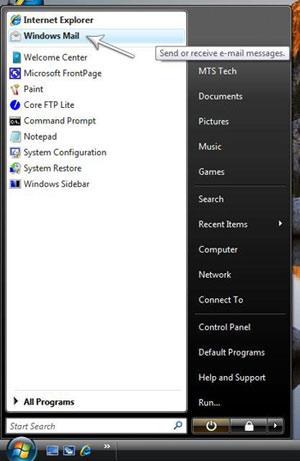
 Open "Windows Mail". Open "Windows Mail".
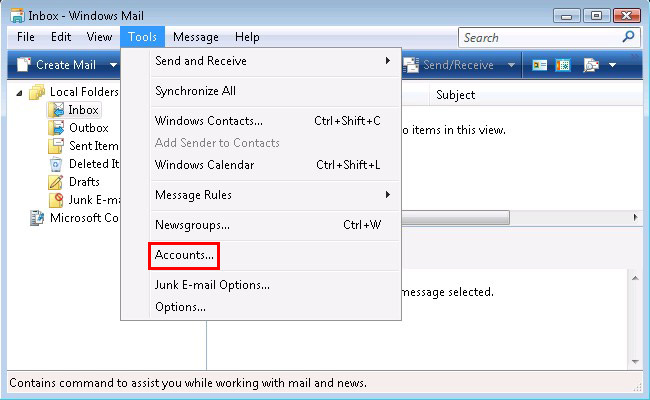
Click on "Tools", then "Accounts" at the top of the window.
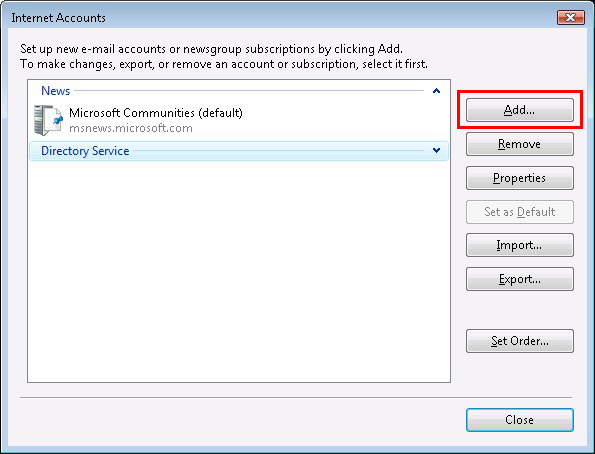
Click the "Add" button.
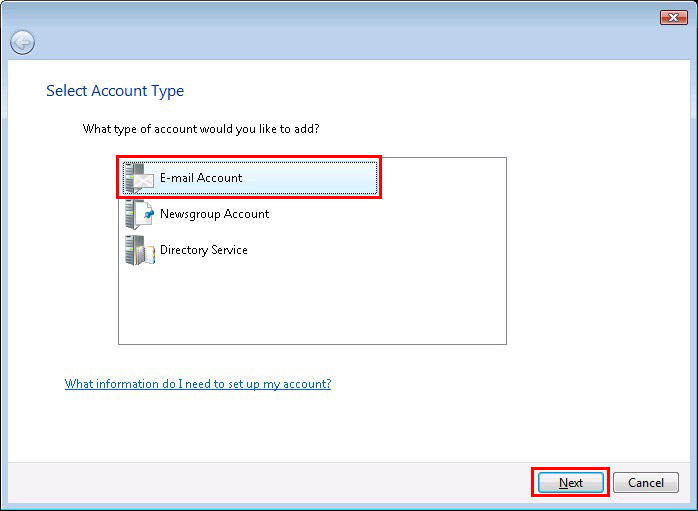
Select "E-mail Account" and click the "Next" button.
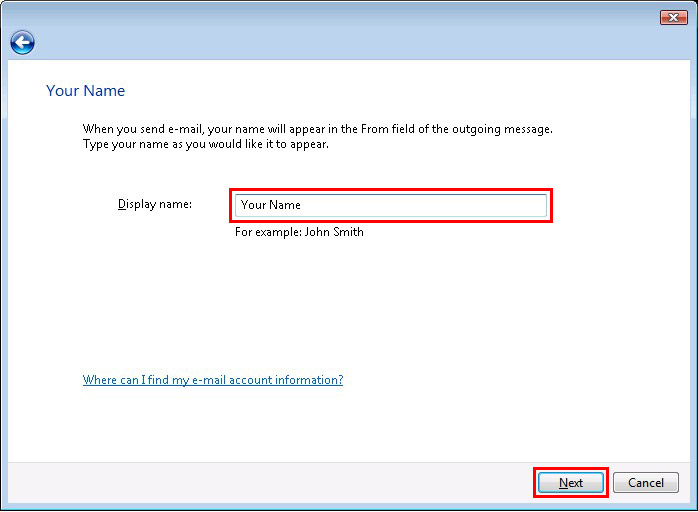
Type in your name in the "Display name" field.
Click the "Next" button.
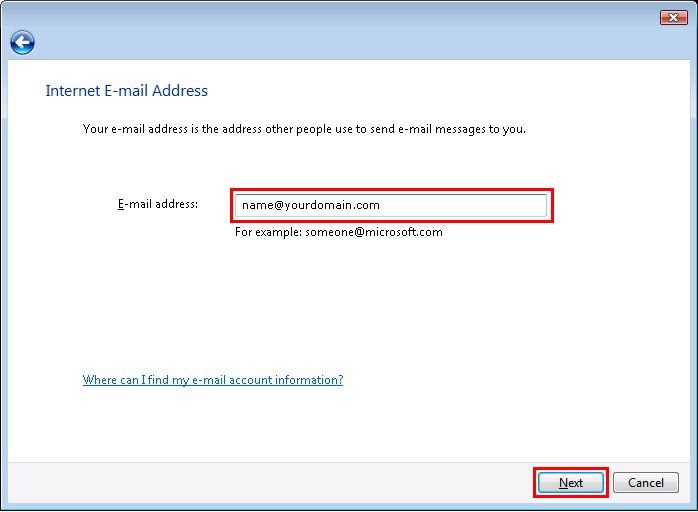
Type in your email address in the "E-mail address" field.
Click the "Next" button.
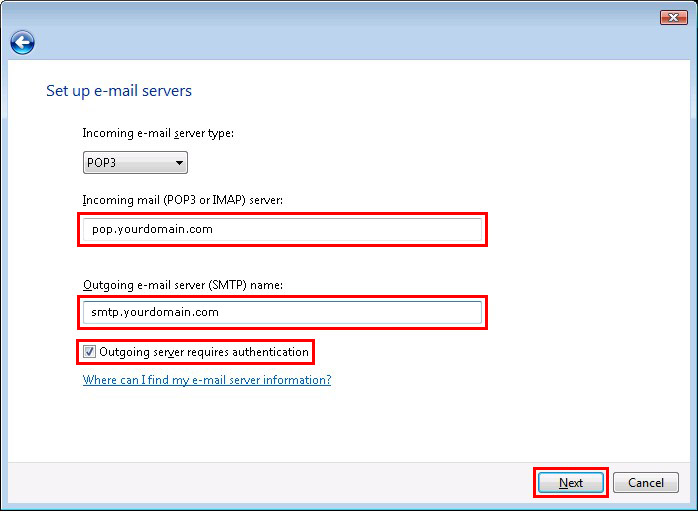
Type in "pop.yourdomain.com" in the "Incoming mail server" field.
Type in "smtp.yourdomain.com" in the "Outgoing mail server" field.
Check the box "Outgoing server requires authentication".
Click the "Next" button.
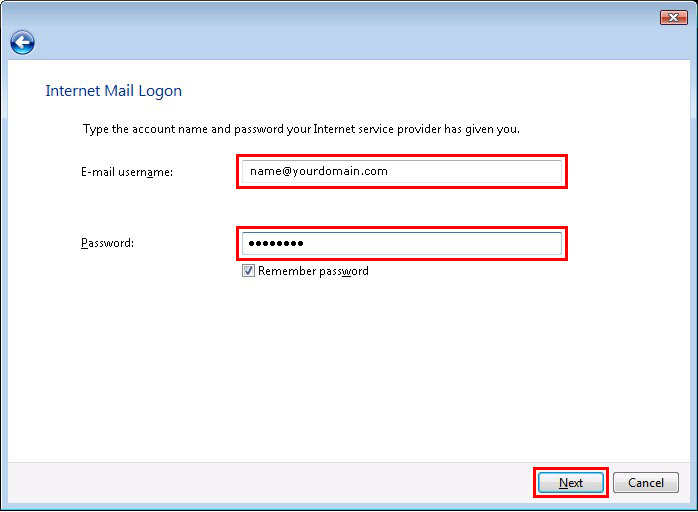
Type in your email address in the "E-mail username" field.
Type in your password in the "Password" field.
Check the box "Remember password".
Click the "Next" button.
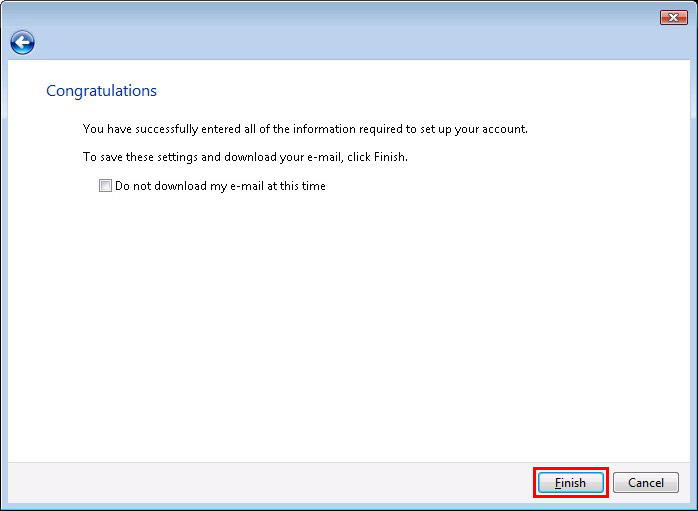
Click "Finish".
Click the "Tools" menu, and then click "Accounts".
Under "Mail", click your "e-mail account", and then click "Properties".
In the Properties window, go to the "Advanced" tab.
Under "Server Port Numbers", in the "Outgoing mail (SMTP)" field, type 26 instead of 25.
Click "OK".
|







 Back
Back